
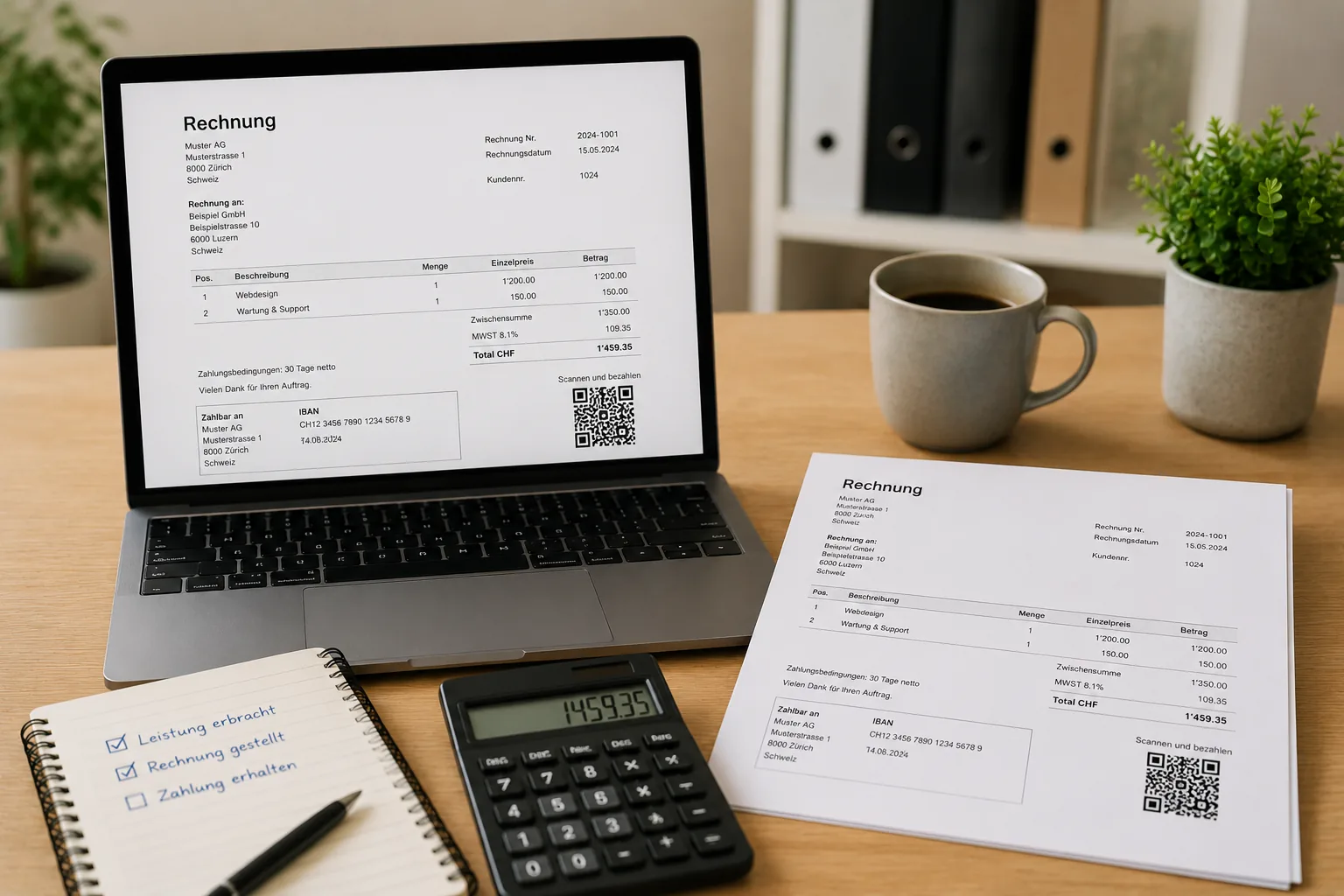
What information should an invoice in Switzerland contain?
A good invoice clearly shows who owes whom which amount for which service and how payment should be made. If you are VAT-registered, the VAT-relevant details must also be shown cleanly.
Many details are useful even if you are not VAT-registered: they help with tracking, questions and bookkeeping.
| Detail | Why it matters |
|---|---|
| Company name and address | The issuer must be clearly identifiable. |
| Customer details | The recipient should be clearly assignable, especially for business customers. |
| Invoice date | Important for payment term, bookkeeping and VAT period. |
| Invoice number | Helps with tracking, payment control and clean filing. |
| Description of service | The customer must understand what is being charged. |
| Amount and currency | The amount due must be unambiguous. |
| VAT if relevant | VAT-registered businesses show the correct rate or tax amount. |
| Payment information | IBAN, QR payment part or reference make payment easier. |
What is a QR-bill?
The QR-bill is today's Swiss standard for invoices with a payment part. It replaced the former payment slips and contains payment information in the Swiss QR Code as well as in plain text.
For customers this is convenient: they scan the code in e-banking or mobile banking, check the details and approve the payment. For you it reduces typing errors, questions and wrongly assigned payments.
A QR-bill is not a complicated special invoice. In essence, it is a normal invoice with a standardized payment part.
How do you write a professional invoice?
Professional does not mean complicated. A good invoice is complete, understandable and easy to find later.
- Enter and check customer details
- Describe the service with date, scope and clear wording
- Define amount, currency and any VAT
- Set a payment term, for example 10, 14 or 30 days
- Add QR code or clear payment information
- Send the invoice as PDF or print it
- Monitor payment and follow up open invoices
Which mistakes happen often?
Most invoice mistakes are not dramatic, but they cost time. The more often you invoice, the more important a clear process becomes.
- Missing invoice number: payments and questions are harder to assign.
- Unclear services: the customer does not understand what was charged.
- Wrong VAT: rate, tax amount or VAT number do not match the situation.
- No payment term: the customer does not know when payment is due.
- Invoices not followed up: open amounts remain unnoticed.
- No overview of open invoices: liquidity and reminders become unnecessarily difficult.
Is Excel or Word enough for invoices?
For the first one or two invoices, Word or Excel can be enough. Once you invoice regularly, it quickly becomes messy.
The problem is rarely the first template. The problem is numbering, QR code, open invoices, corrections, incoming payments and the connection to bookkeeping.
| Solution | Advantages | Limits |
|---|---|---|
| Excel or Word | quick to start, flexible, no new software needed | error-prone, no automatic payment control, QR-bill is awkward |
| Accounting software | structured process, QR-bill integrated, open invoices visible | requires some setup and discipline |
| Fiduciary or office service | relief and control | higher costs and less direct overview |
How does fibu3 help with invoicing?
fibu3 helps you create invoices in a clean process instead of manually copying templates.
You can create quotes and invoices, generate QR-bills, manage open invoices and connect incoming payments with bookkeeping. This reduces manual work and gives you a better view of what is still open.
fibu3 does not replace careful checking of your services and customer data. But it removes a lot of routine work: numbering, structure, QR payment part, connection to bookkeeping and overview of open items.
In short: what belongs on an invoice?
An invoice should include issuer, recipient, date, invoice number, service description, amount, payment information and, if VAT applies, the correct VAT details. The key is that service, amount and payment are clearly traceable.
Checklist for correct invoices
Before sending, a quick check of the key points is worthwhile. It takes less time than a later correction.
- Are company name and address correct?
- Are customer details complete?
- Is the invoice number unique?
- Is the service described clearly?
- Are amount, currency and VAT correct?
- Is the payment term clear?
- Are QR code or IBAN correct?
- Was the invoice saved and filed so it can be found later?
- Is it clear how incoming payments will be checked?
Do I need to keep invoices and can I send them digitally?
Invoices should be kept in an orderly way because they are the basis for bookkeeping, taxes and later questions. In Switzerland, digital filing is common in many cases as long as documents remain complete, readable and traceable.
Sending a PDF by email is also normal for many business cases. What matters less is the channel and more that the invoice is complete, clean and easy to find again.
Conclusion: writing invoices in Switzerland
Writing an invoice in Switzerland is manageable if content, payment information and VAT details are clean. Word or Excel can be enough to start, but become cumbersome with regular invoicing.
With software that connects QR-bill, open items and bookkeeping, you mainly save routine work and keep a better view of your finances.
Related topics
Useful internal topics for links: doing your own bookkeeping, VAT explained simply, creating quotes, bank reconciliation, onboarding wizard, prices, learn and blog.
Frequently asked questions about writing invoices in Switzerland
Short answers about required details, QR-bill, VAT, Excel and software.
What must be on an invoice?
At least issuer, recipient, date, invoice number, service description, amount and payment information. If VAT applies, correct VAT details are added.
Do I need an invoice number?
Yes, it is very important for order, tracking and payment control. The number should be unique and traceable.
What is a QR-bill?
A QR-bill is an invoice with a standardized payment part and Swiss QR Code. The code contains the payment information digitally.
Do I have to show VAT?
Only if you are VAT-registered and the service is taxable. Then the rate or tax amount must be shown correctly.
Is Excel enough for invoices?
For a few invoices, Excel can be enough. For regular invoices, QR code, open items and bookkeeping, software is usually cleaner.
How long do I need to keep invoices?
Invoices are business records and should be kept in an orderly way. For exact retention periods and special cases, professional review is useful.
Can I send invoices digitally?
Yes, PDF invoices by email are common in practice. What matters is that the invoice is complete and can be found later.
What happens if there are mistakes?
Smaller mistakes can usually be corrected cleanly with a corrected invoice or credit note. Clear documentation is important.
How do I monitor open invoices?
Keep a list of open invoices or use software that makes incoming payments and open items visible automatically.
Which software is suitable?
Suitable software connects invoices, QR-bill, open items, bookkeeping and bank reconciliation in one process.
Can I create QR-bills with fibu3?
Yes. In fibu3, invoices including QR code can be created and connected with bookkeeping and payment control.
Can I start with fibu3 for free?
Yes, you can start with up to 40 postings free of charge and check whether fibu3 fits your daily work.
Related fibu3 solutions
Create invoices with QR code more easily
With fibu3, you create quotes, invoices and QR-bills directly in bookkeeping and keep open payments in view.