What is the new two-factor authentication in fibu3?
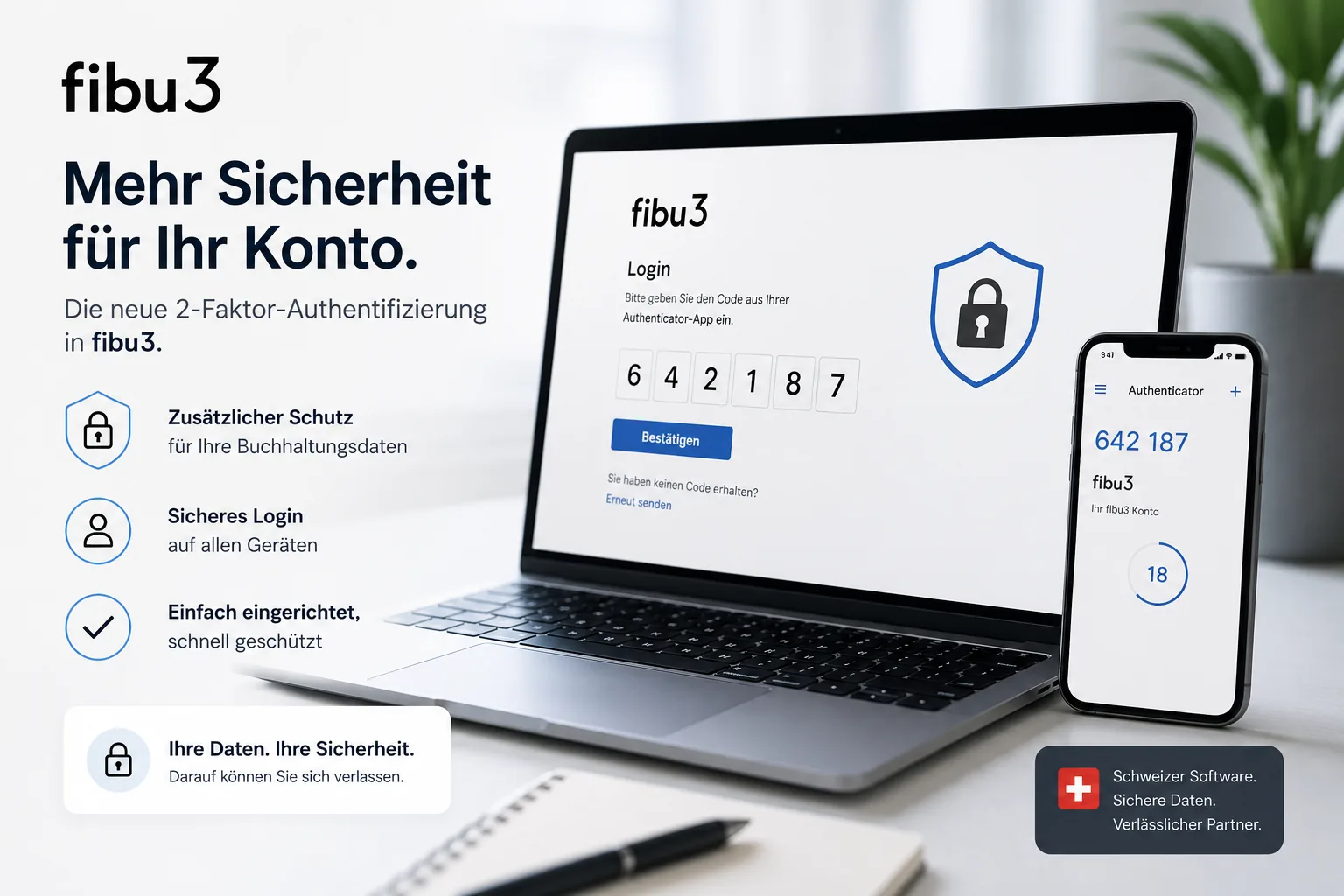
Two-factor authentication protects your fibu3 account with an additional security step beyond the password. In fibu3, that extra layer uses an authenticator app with a one-time code.
This makes sign-in more secure without making it unnecessarily complicated. For accounting data in particular, that is an important step toward more trust and stronger account protection.
Why is fibu3 introducing 2FA?
fibu3 is introducing 2FA to better protect sensitive accounting data and to make a stolen password alone far less useful. At the same time, the additional security step fits into the new, faster sign-in flow.
For companies, clubs, self-employed professionals and fiduciaries, that mainly means more security and more trust in everyday work with financial data.
- more protection for sensitive accounting data
- better protection when passwords are stolen
- a more modern and faster sign-in system
- more trust for businesses and fiduciaries
How does two-factor authentication work?
You still sign in with your email address and password. In addition, you enter a one-time security code from your authenticator app.
To set it up, you scan the QR code in fibu3 with a suitable app such as Google Authenticator, Microsoft Authenticator or Authy and confirm the setup with the current code. fibu3 also provides backup codes for emergencies, which should be stored safely.
What benefits does the new 2FA provide?
The new 2FA improves account protection without making sign-in unnecessarily slow or cumbersome. It adds a second verification step to the password and strengthens day-to-day account security.
- stronger account protection
- more security for company data
- protection when passwords are compromised
- a modern sign-in experience
- an easy transition for existing users
Do existing users need to do anything?
Yes. When you move to the new sign-in system, fibu3 guides you through the transition step by step. Existing users can switch without much effort.
If 2FA is not active for your account yet, you can also set it up later at any time in the user settings.
Who benefits most from 2FA?
2FA is especially valuable wherever several people work with financial data or where account access happens across multiple devices. This is particularly relevant for organizations that want to keep accounting secure online.
- companies with multiple users
- fiduciaries
- clubs with sensitive financial data
- self-employed professionals with customer data
- users who regularly access fibu3 on different devices
Is 2FA complicated?
No. The setup happens once, and after that your sign-in becomes more secure without creating unnecessary friction in everyday work.
Because fibu3 guides the migration and setup, the extra effort stays manageable while the security benefit is clear.
How do I start with the new sign-in?
Sign in to fibu3 and follow the guidance for switching to the new sign-in system. If you set up 2FA, use the guided steps and store the displayed backup codes in a safe place.
Frequently asked questions about the new 2FA in fibu3
Here are short answers to common questions about secure sign-in and two-factor authentication.
What does 2FA mean?
2FA stands for two-factor authentication. In addition to the password, a second factor is required, such as a one-time code from an authenticator app.
Why is 2FA safer than just a password?
A password alone can be stolen or reused. With 2FA, a compromised password is no longer enough on its own to sign in to the account.
Do I need to enable 2FA in fibu3?
The new fibu3 sign-in supports integrated 2FA and the setup is guided step by step. If 2FA is not active for your account yet, you can also configure it later in user settings.
Which app do I need for 2FA?
Suitable options include Google Authenticator, Microsoft Authenticator and Authy. fibu3 shows the QR code and confirmation step during setup.
What happens if I lose my phone?
For that case, fibu3 provides backup codes. These should be stored safely so you can still access your account in an emergency.
Can I still use fibu3 on multiple devices?
Yes. 2FA adds extra protection to the sign-in, but it does not prevent you from using fibu3 across multiple devices. You simply need access to your security code.
Is the setup difficult?
No. The setup is guided and can be completed in just a few steps. After that, your sign-in is more secure without becoming unnecessarily complicated.
What changes during sign-in?
In addition to your email address and password, you enter a one-time code from your authenticator app when 2FA is active. That adds stronger protection to account access.
Does 2FA also protect my accounting data?
2FA primarily protects access to your account. Because sensitive accounting data is reached through that account, a more secure sign-in also improves protection for that data.
Can existing users use the new sign-in?
Yes. Existing users can switch to the new sign-in system in just a few guided steps and then set up 2FA directly.
Sign in to fibu3 more securely
Sign in to fibu3 and follow the guidance for switching to the new sign-in system.